 Mia Khoirunisa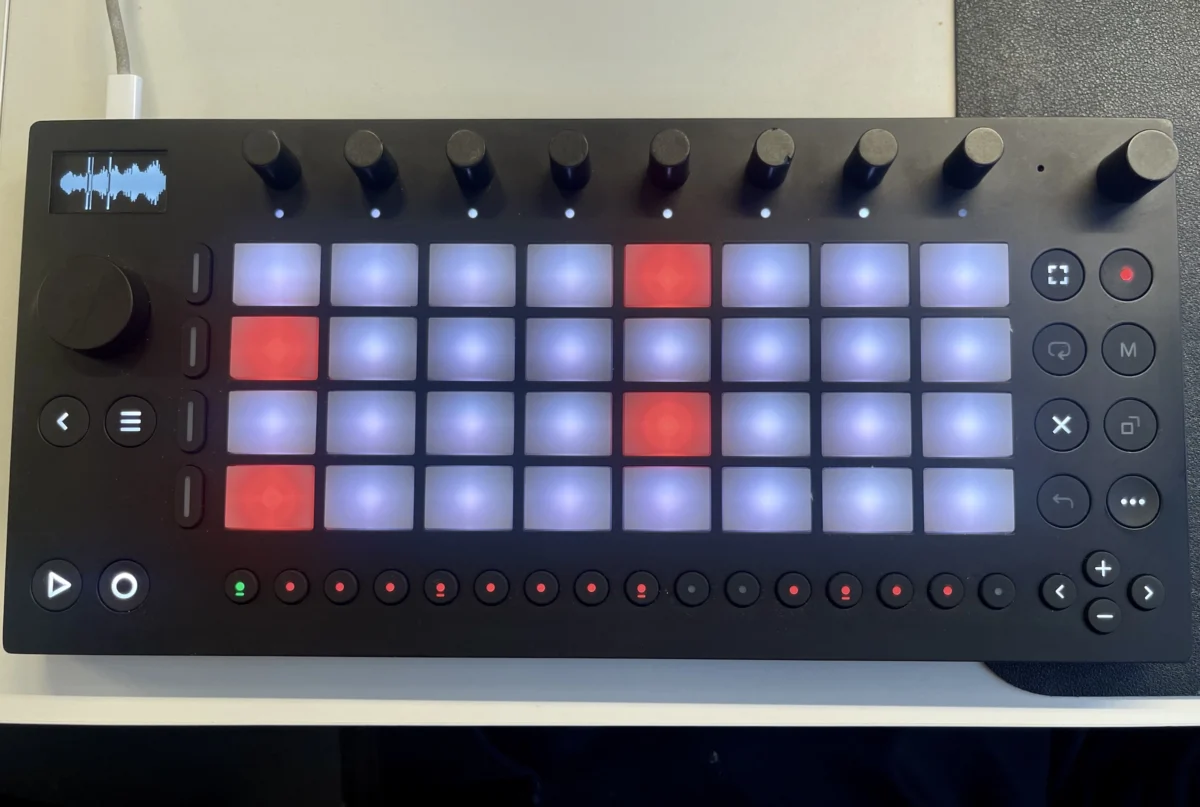
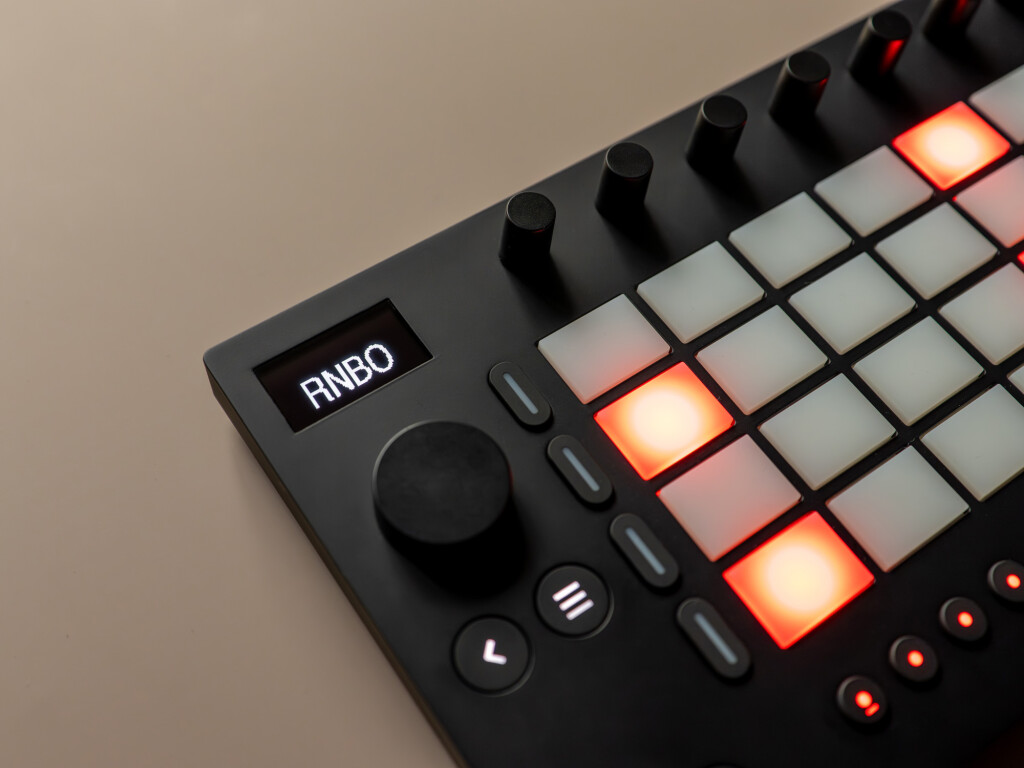
The integration of Cycling ’74’s RNBO (Rendering Node and Object) technology with Ableton’s Move hardware marks a significant advancement in the realm of customizable music creation devices. This experimental alpha, now available for testing, promises to unlock unprecedented levels of control and creative potential, transforming the Move into a truly bespoke instrument. By allowing users to leverage the power of Max-style patching for every facet of the Move – from its audio engine and I/O to its tactile controls and display – RNBO Takeover Mode offers a profound departure from standard hardware functionality. While still in its early stages, the implementation is already demonstrating remarkable usability and opening doors for both seasoned developers and enthusiastic tinkerers.
The core of this innovation lies in RNBO’s ability to compile Max patches into formats compatible with embedded hardware. This means that users can now directly port their custom audio processing, control logic, and graphical interfaces to the standalone Move unit. Unlike previous unofficial workarounds that focused on making Move function as a host for external plugins, RNBO Takeover Mode fundamentally reimagines the Move’s operating system. Your RNBO patch becomes the new firmware, dictating the device’s behavior from the ground up. This approach provides comprehensive access to all hardware elements, including pressure-sensitive pads, encoders, buttons, and the integrated display, offering a level of integration previously only dreamed of for such hardware.
A key advantage of this "takeover" methodology is the complete liberation from the Move’s default interface constraints. While RNBO-equipped devices often require adapting to existing hardware limitations when functioning as plugins, this new integration allows RNBO patches to fully dictate the user experience. This opens up a vast landscape for creators, enabling them to design unique workflows and sonic palettes that are intimately tied to the physical interface of the Move.
For developers and electronic music producers familiar with Cycling ’74’s ecosystem, RNBO support for Move represents a powerful new target for their creations. Alongside existing support for Ableton’s Push 3 standalone and Max for Live within Ableton Live, Move now joins the ranks of hardware platforms that can be directly programmed using RNBO. This means that a patch developed in Max can, with RNBO, be deployed to run entirely independently on the Move, creating a highly portable and personalized music production and performance tool. This expands the reach of RNBO beyond desktop applications and into the domain of dedicated, physical hardware, further solidifying its position as a versatile cross-platform development environment.
It is crucial to emphasize that RNBO Move Takeover is currently in an "experimental alpha" phase. Cycling ’74, in collaboration with Ableton, is actively soliciting user feedback to refine the technology. Consequently, the specific features, functionalities, and user interface elements are subject to change as development progresses. However, initial impressions suggest a robust and promising foundation for future iterations.
Seamless Integration and Getting Started
The process of integrating RNBO with the Ableton Move has been designed for remarkable ease of use, even for those without immediate access to the Max development environment. To begin exploring RNBO’s capabilities on the Move, users need to ensure their Move hardware is updated to version 1.5.1 or later. The RNBO software package is then installed via the Move Manager as a .swu file, a process that reportedly takes mere seconds.
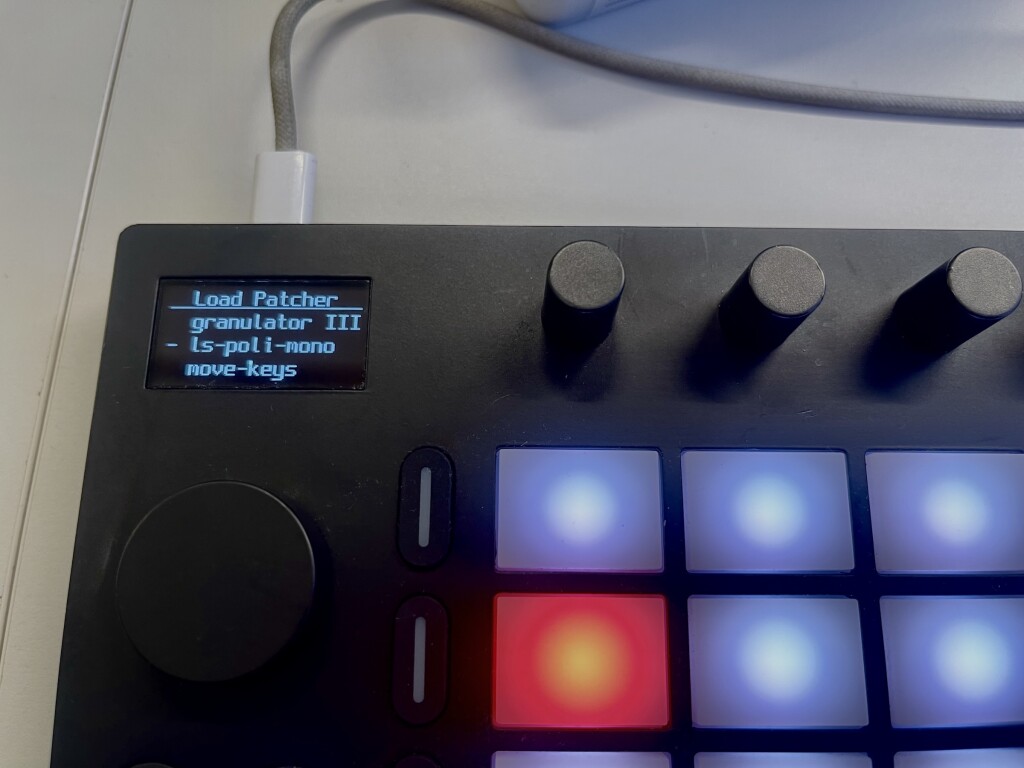
Once the RNBO software is installed, activating RNBO Takeover Mode is a straightforward procedure. Users access the Move’s Settings menu (typically via Shift + Step 2), navigate to the RNBO option, and initiate the takeover. Upon activation, the Move boots into the RNBO environment, with Robert Henke’s acclaimed Granulator III synthesizer patch loaded by default. This pre-loaded patch serves as an excellent demonstration of RNBO’s capabilities, showcasing how deeply a complex Max patch can be integrated with the Move’s physical controls and display.
Transitioning back to the standard Move operating system is equally seamless. A simple power cycle and selection of "Launch Move" from the menu restores the device to its original state. The speed of this switching is notable, suggesting that live performers could potentially alternate between RNBO-powered custom patches and the standard Move functionality mid-set without significant disruption.
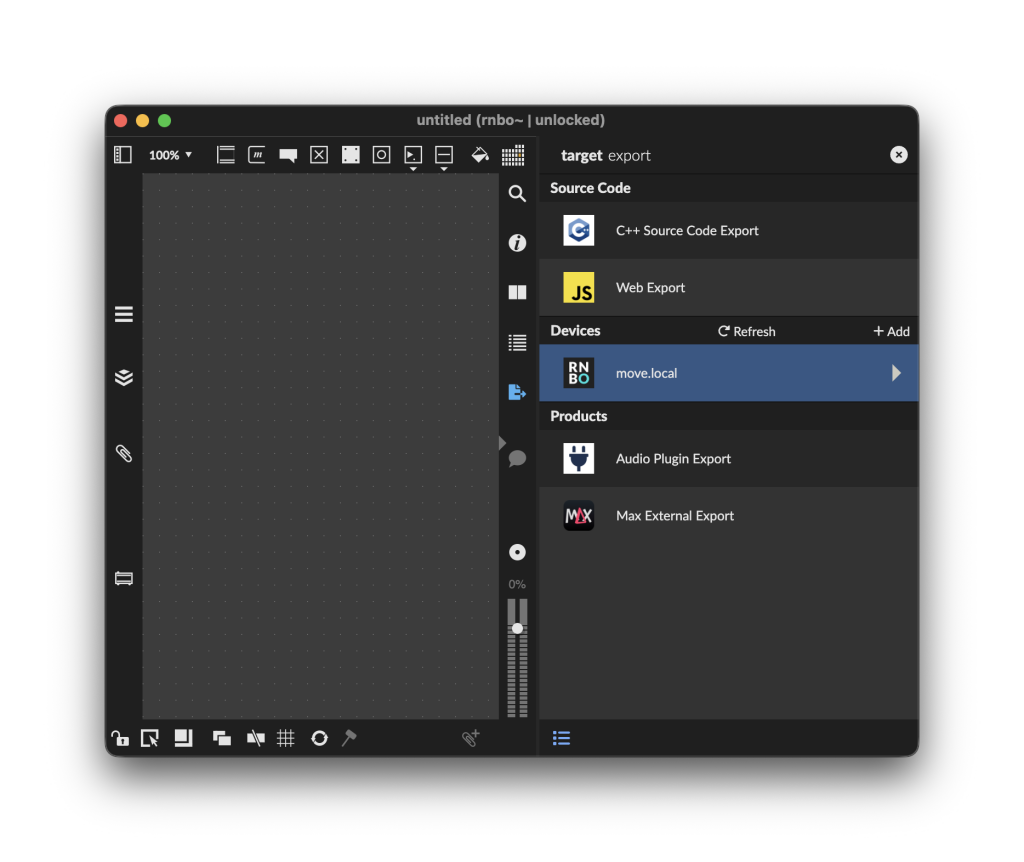
For users intending to develop their own RNBO patches for the Move, the integration with the Max environment is equally intuitive. After connecting the Move to a computer and loading RNBO Takeover Mode, the Move appears as a recognized export target within Max. Creating a new RNBO patch involves instantiating an rnbo~ object, which opens the RNBO patcher interface. From there, the Export Sidebar on the right of the Max window reveals the Move as a selectable export destination, allowing users to compile and transfer their patches directly to the hardware.
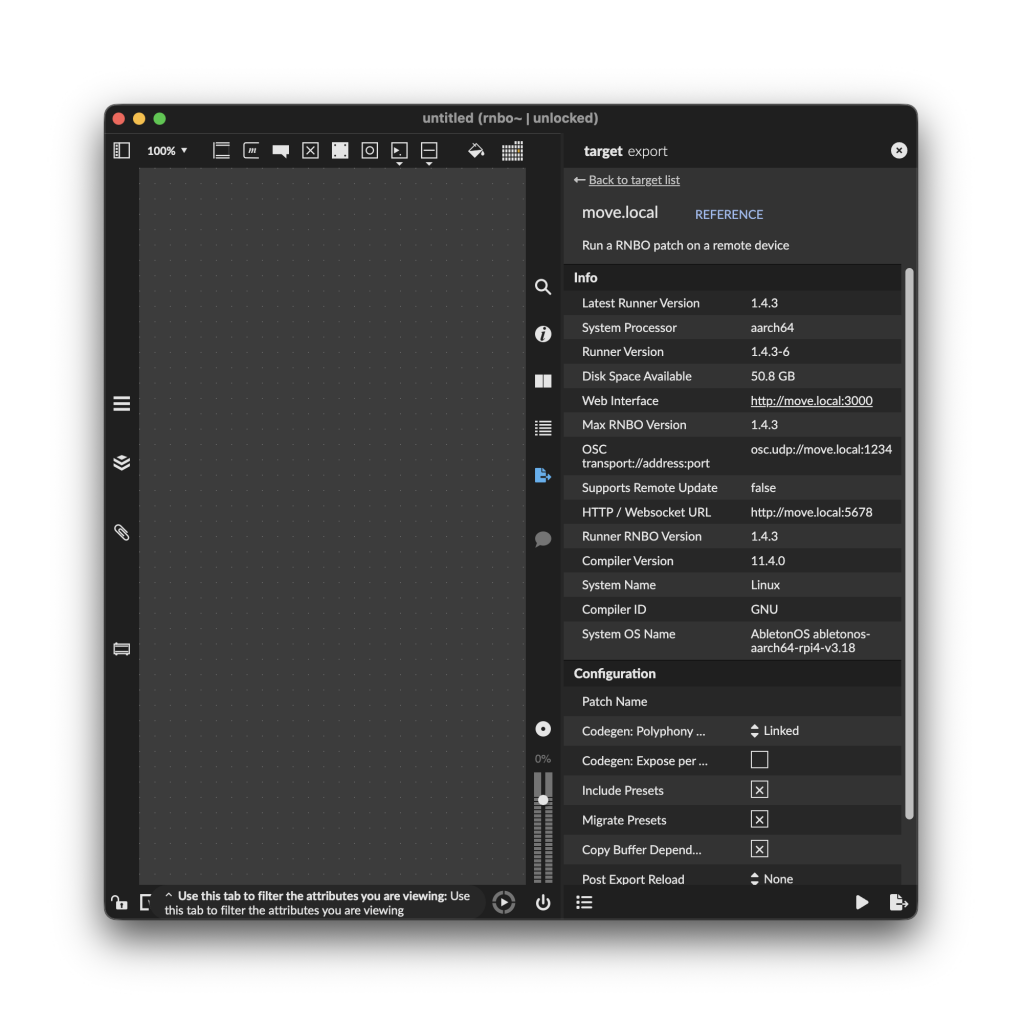
Within the RNBO export settings for Move, users will find a wealth of configuration options and informative details pertaining to the target hardware. This includes specifications related to audio I/O routing, control mapping, and display parameters, enabling fine-grained control over how the RNBO patch interacts with the Move’s physical components.
Granulator III: A Testament to RNBO’s Potential
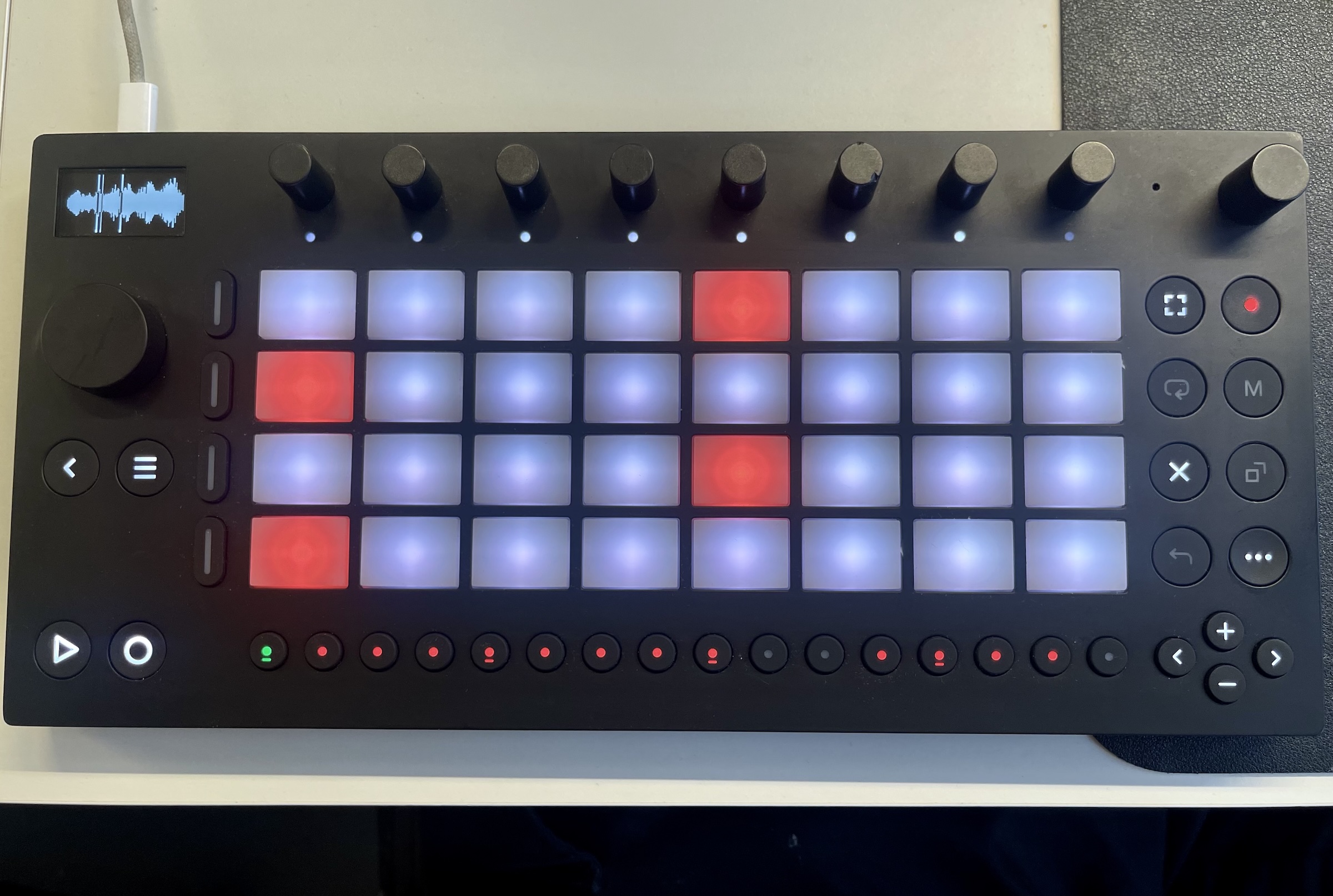
The inclusion of Robert Henke’s Granulator III as the default patch upon entering RNBO Takeover Mode is a deliberate and effective choice. This acclaimed granular synthesizer, known for its intricate sound design capabilities, is exceptionally well-suited to the Move’s horizontal layout and tactile controls. The dense grid of pads, the row of encoders, and the display all align harmoniously with the interface design of Granulator III, creating an experience where users feel as though they are directly manipulating the synthesizer’s core parameters within their hands. The Move’s aspect ratio itself is even reminiscent of Ableton Live’s device view, further enhancing the sense of direct control and creative flow. This pre-loaded patch not only serves as an immediate tool for sonic exploration but also acts as a powerful inspiration for developers looking to design their own unique interfaces and functionalities for the Move.
While the Granulator III integration is a compelling demonstration, the true significance of RNBO Move Takeover lies in its enablement of the DIY (Do It Yourself) community and its vast potential for innovation. It empowers creators to move beyond pre-defined functionalities and craft entirely new musical instruments and performance tools.
Unlocking Deep Hardware Interactivity
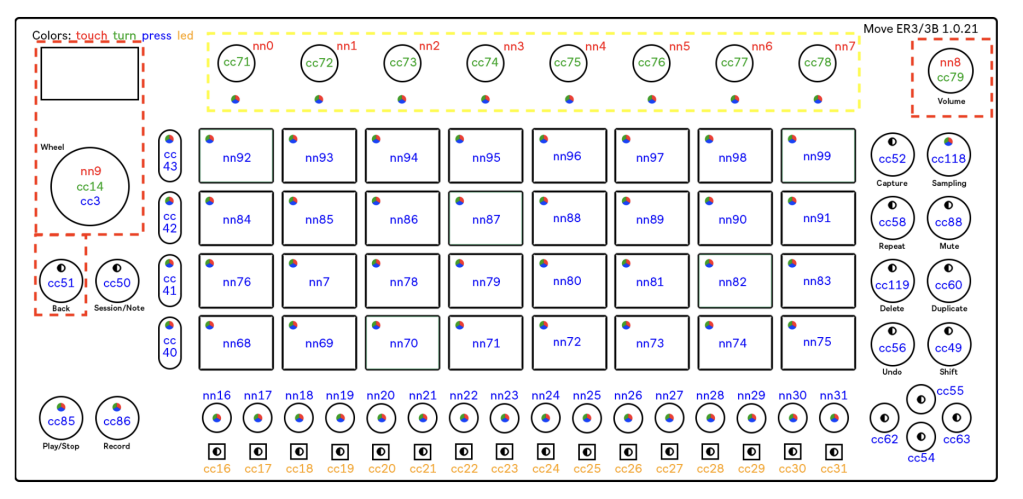
RNBO Move Takeover provides granular access to the Move’s hardware, granting patchers control over a comprehensive suite of its features. This includes, but is not limited to:
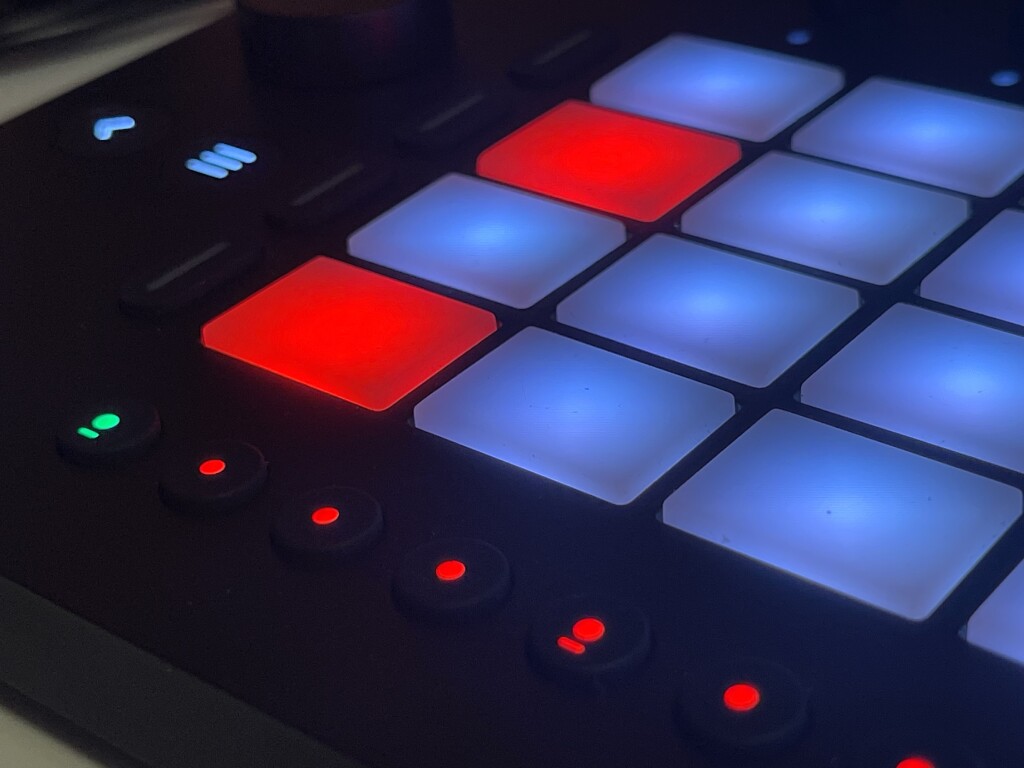
- Pressure-sensitive pads: Each of the 16 velocity and pressure-sensitive pads can be independently controlled and mapped.
- Encoders: The eight encoders, typically used for parameter control, offer a high degree of customization.
- Buttons: All operational buttons on the device can be programmed to trigger specific functions within an RNBO patch.
- LED feedback: The extensive LED system, capable of displaying a wide range of colors and patterns, can be dynamically controlled by the RNBO patch for visual feedback.
- Audio I/O: Input and output audio streams can be manipulated and processed directly within the RNBO patch.
- Display rendering: The integrated display can be programmed to show custom graphics, animations, and user interface elements.
A select few hardware controls are reserved for the RNBO Move Control system. These are essential for maintaining navigation and system management, ensuring that users can still switch between patches and access system menus. These include the Power, Menu, and Shift buttons, along with the navigation arrows and the main dial. However, even these reserved controls can still generate MIDI messages, allowing patchers to detect user interaction with them. The Menu button, in particular, remains accessible, facilitating the launch of other patches or the return to the standard Move operating system.
The advantage of this system is the ability for developers to create custom hardware interfaces that would otherwise be prohibitively expensive or complex to engineer from scratch. The Move, as a mass-produced and relatively affordable device, provides a ready-made platform with advanced tactile controls and a responsive display. This combination is a significant boon for DIY enthusiasts who can now leverage a robust development environment and readily available hardware to realize their creative visions.
Furthermore, RNBO Move Takeover enables patchers to interact with other controllers connected to the Move’s USB-C host port. This opens up possibilities for complex, multi-device setups where the Move acts as a central hub, orchestrating interactions between various external MIDI controllers, sensors, and audio interfaces.
Perhaps one of the most exciting aspects is the ability to draw directly to the Move’s display. Within RNBO on Move, these custom graphical elements are referred to as "User Views." Developers can create and render images, animations, and even multi-layered graphical interfaces. The system allows for writing to a buffer, and in the current alpha stage, users can load bitmap files and manipulate them on the display. The documentation even includes techniques for managing typography and fonts, indicating a sophisticated level of graphical control. While this aspect might appear the most technically involved, it promises a future where highly personalized and visually rich user experiences can be crafted for the Move.
The RNBO Ecosystem and Cross-Platform Development
RNBO is not strictly synonymous with Max, although it operates within the Max application environment. It offers a distinct library of objects and a syntax that, while familiar to Max users, is optimized for cross-platform deployment. This is akin to the Pure Data (Pd) ecosystem’s Heavy compiler, which transforms Pd patches into executable C++ code, allowing for broad compatibility.
The power of RNBO lies in its ability to serve as a unified development environment for multiple targets. A patch built in RNBO can be seamlessly deployed to a variety of platforms, including web browsers, plugins (VST, AU), and embedded hardware like the Raspberry Pi and, now, the Ableton Move. This allows creators to develop a core piece of audio processing or interaction logic once and then adapt it for different deployment scenarios.
For instance, a musician might build a complex synthesizer in RNBO and then create a Max for Live device that wraps around this RNBO object, taking advantage of Live’s desktop interface and features. Subsequently, the same RNBO object can be exported to run standalone on the Move, providing a hardware-based version of the instrument. This modular approach significantly streamlines the development workflow and expands the reach of creative projects.
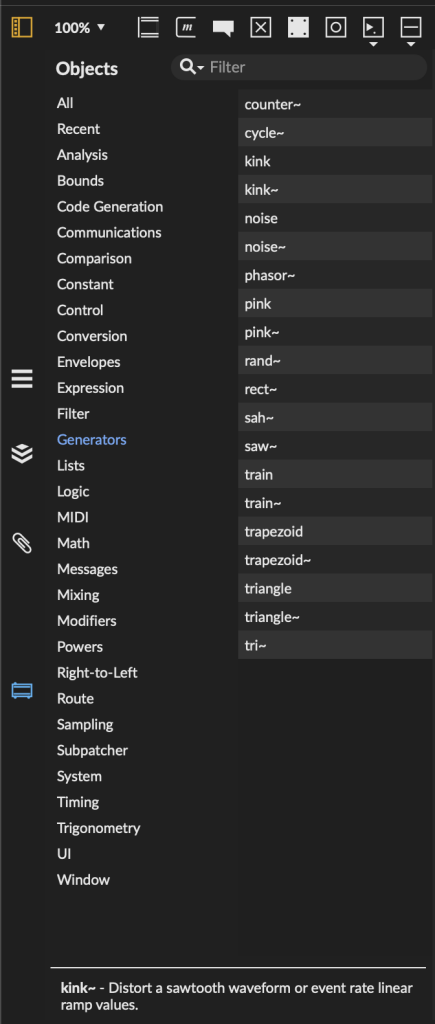
The inclusion of gen~, Max’s low-level Digital Signal Processing (DSP) environment, as a cross-compatible component between Max and RNBO is a significant advantage. Anything built within gen~ can be utilized in both Max and RNBO environments. This explains the rapid adaptation of complex gen~-dependent patches like Granulator III for RNBO on Move, as its core audio engine is already optimized for this dual compatibility. Cycling ’74’s commitment to gen~’s interoperability further enhances RNBO’s utility for advanced audio manipulation.
A Playground for Innovation: Patchworks and Examples
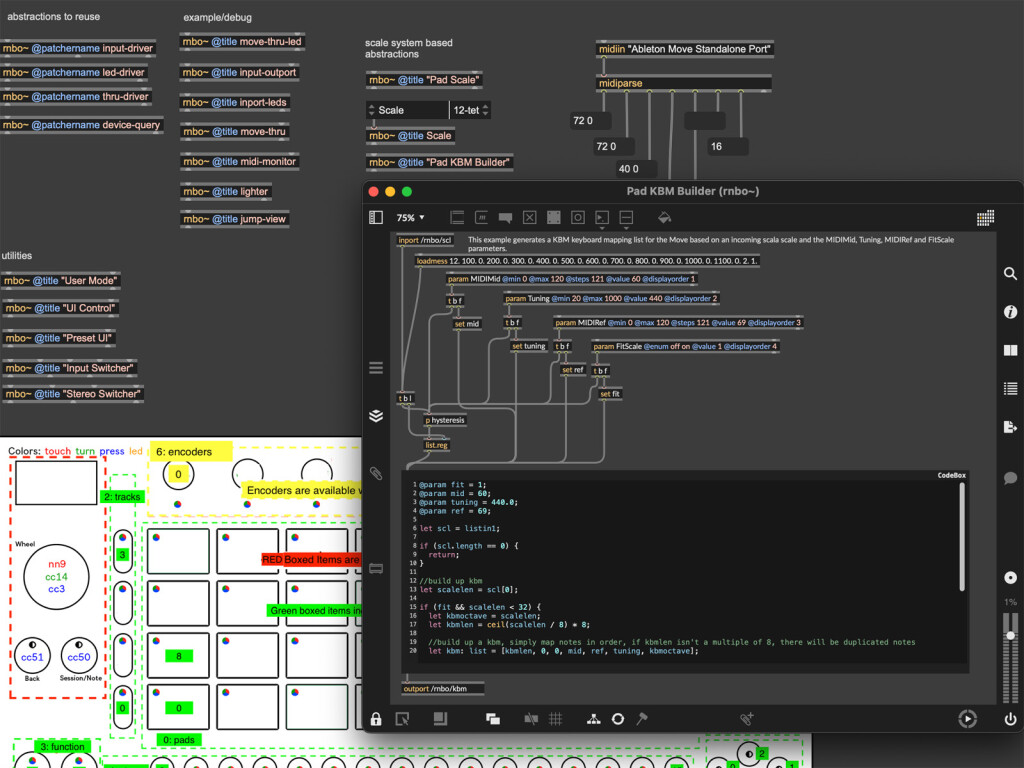
Cycling ’74 has demonstrated a proactive approach to supporting RNBO Move Takeover by providing a range of example patches and encouraging community engagement. Even in this early alpha stage, the provided examples cater to a broad spectrum of users, from those new to patching to more experienced developers. These examples serve as practical demonstrations of RNBO’s capabilities and provide a foundation for experimentation and modification.
Among the available examples are:
- No-Input Mixer Emulation: This demonstrates how to create intricate audio feedback loops and signal routing scenarios using the Move’s audio inputs and outputs.
- Casio CZ-101 Synth Emulation: A simplified recreation of the classic CZ-101 synthesizer, offering a starting point for custom synth design and modification.
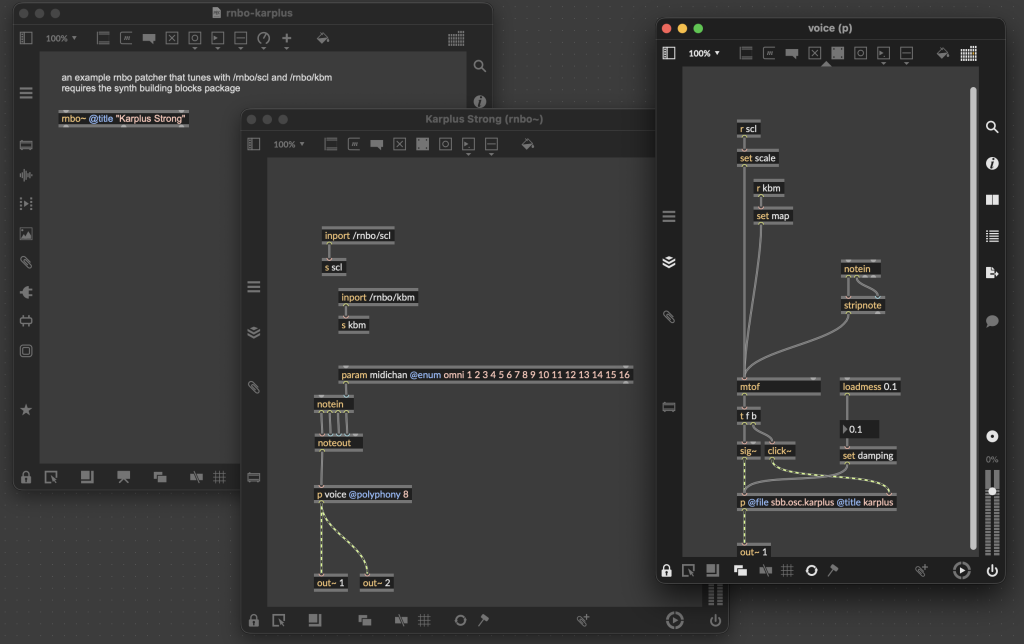
- Karplus-Strong Synthesis with Scala Support: This example showcases the creation of a basic string synthesis model, incorporating Scala microtuning capabilities, highlighting RNBO’s flexibility in handling advanced tuning systems.
These examples underscore the accessibility of RNBO for tinkerers and hobbyists, not just professional developers. The ability to easily modify and build upon these existing patches lowers the barrier to entry for creating custom hardware instruments.
The Web Patcher Interface: Collaborative Development
RNBO’s integration with embedded hardware is further enhanced by its Web Patcher interface, which is now accessible for Move. This feature, previously seen with RNBO on Raspberry Pi, allows for interactive modification of RNBO Graphs directly from a web browser while the Move is connected. A "Graph" in RNBO parlance refers to a collection of interconnected "Patchers," which are the individual building blocks of a patch. This web interface provides a bird’s-eye view of the overall structure of a custom Move rig, facilitating a more intuitive and visual approach to managing complex projects.
The Granulator III example, for instance, can be visualized and managed through this web interface, with menus allowing users to navigate and edit individual patchers within the overall graph. This approach transforms the process of developing for embedded hardware into something akin to visual breadboarding, with immediate feedback and a high degree of interactivity. This collaborative aspect of development, where the hardware and a web interface work in tandem, significantly accelerates the prototyping and refinement process.
Future Prospects and Accessibility
The RNBO Move Takeover feature is available immediately, offering a risk-free environment for exploration. In the event of any issues, users can easily revert to the standard Move operating system or perform a hard reset. Anyone with a Move device can download the examples and begin experimenting. For those with existing Max and RNBO licenses, exporting patches is free. A trial period is also available for users considering the purchase of these licenses.
While the core RNBO engine is not yet open-source, Cycling ’74 has committed to open-sourcing key components, including the RNBO OSC Runner and RNBO Move Control, on GitHub. This move towards open components will foster community development and allow for greater transparency and extensibility.
A significant consideration for wider adoption is the pricing structure of RNBO. The current licensing model, which separates Max for Live, Max, and RNBO into distinct licenses, can be perceived as complex and potentially a barrier for some users. A combined monthly subscription for Max + RNBO is available at $22.99, with one-time purchase and educational discounts also offered. Streamlining this licensing and making it more accessible would undoubtedly encourage broader experimentation and adoption within the music technology community.
The potential for Ableton and Cycling ’74 to offer pre-built "plug-in" style device templates that run within the Move, similar to how devices operate on Push standalone or within Live, is also a logical next step. This would mirror the tiered complexity seen in Max for Live, ranging from simple MIDI tools to fully featured audio effects. The current focus on full takeover, while offering immense flexibility, does require a greater development effort than a more constrained plugin-like approach. However, the ambition of RNBO Move Takeover is to empower users to build their own comprehensive environments, potentially including custom sequencers that can be loaded with user-created patchers via the web interface.
It is important to note that RNBO Move Takeover does not negate or compete with other existing DIY approaches for the Move. Projects like "Move Everything" and efforts to port monome Norns to Ableton Move coexist alongside RNBO. Users can seamlessly switch between these different configurations, and the accessibility benefits highlighted by projects like Andre Louis’s walkthrough for visually impaired users remain relevant and can be further enhanced by RNBO’s custom display capabilities.
In conclusion, RNBO support for Ableton Move represents a paradigm shift in hardware customization. It offers an unparalleled combination of depth, flexibility, and ease of use for creating sophisticated interactive experiences on hardware without requiring extensive traditional coding. Building upon a legacy of innovative hardware interfaces, this integration empowers a new generation of sound designers and musicians to invent and perform with truly bespoke instruments. The detailed documentation and the wealth of available examples provide a robust starting point for anyone eager to explore the boundless possibilities of RNBO on Move.