 Mia Khoirunisa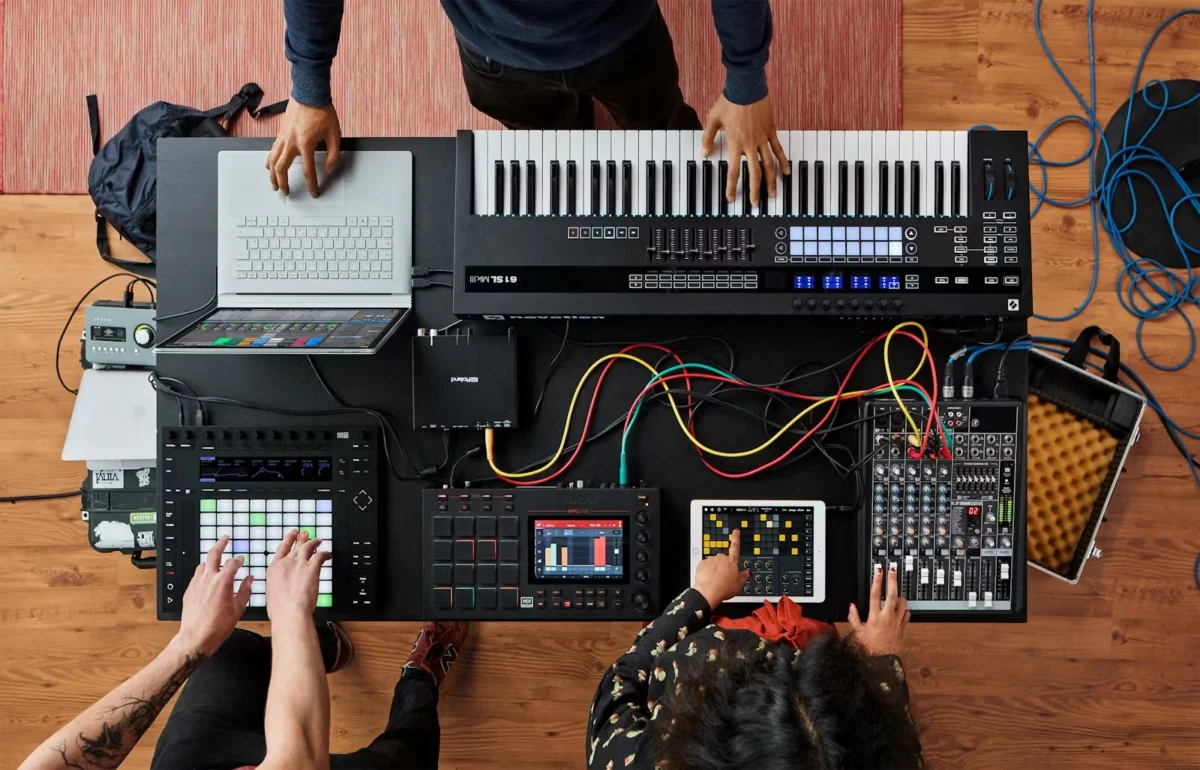
The pursuit of seamless ensemble performance, where individual musicians and their diverse technological tools coalesce into a unified sonic entity, has long been a driving force in music production and live performance. While simply playing at the same time can offer a basic level of coordination, achieving true synchronization that elevates the collaborative experience requires a more sophisticated approach. This article delves into the intricacies of Ableton Link and its extension, Link Audio, providing a comprehensive guide to establishing robust, real-time synchronization for jam sessions, live sets, and collaborative projects. Supported by Ableton, this exploration aims to equip musicians with the knowledge to transcend individualistic expression and embrace the power of collective performance, regardless of the instruments or software involved.
The Strategic Imperative: Link as the Unifying Hub
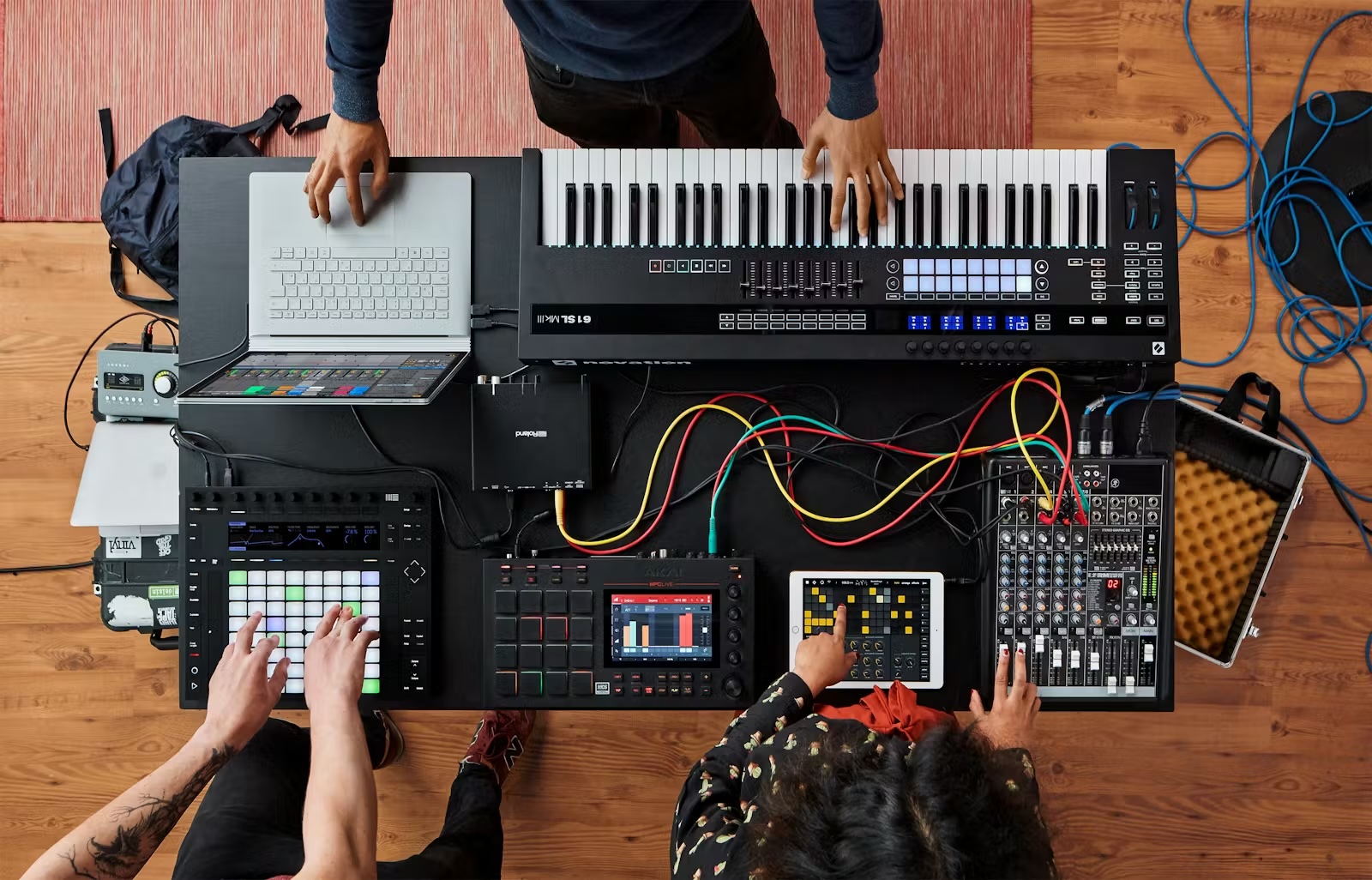
The core principle behind achieving synchronized ensemble performance in a shared physical space revolves around establishing a common temporal foundation. This guide focuses exclusively on in-person collaborations, acknowledging that online synchronization presents a distinct set of challenges and solutions. The ultimate goal is to simplify the setup process, enabling a diverse array of gear and software to seamlessly integrate into a fluid jam session. This includes not only multiple instances of Ableton Live but also hardware controllers like Push and Move, standalone MIDI devices, drum machines, mobile applications on iPhones and iPads, other Digital Audio Workstations (DAWs), Eurorack modular systems, and even vintage analog equipment.
At the heart of this synchronization strategy lies Ableton Link, serving as the crucial timing glue. By adopting Link as the central synchronization protocol, any participant arriving with their chosen instruments and software can readily join the network, thereby establishing a shared, collective time base. This approach offers significant advantages over traditional, hierarchical timing methods, such as MIDI clock. Unlike the master-slave relationship inherent in MIDI clock, Link operates on a decentralized, peer-to-peer model, fostering a more resilient and adaptable synchronization environment.
Link has witnessed widespread adoption across the music technology landscape. Beyond its native integration within Ableton Live, it is now supported by a growing number of third-party DAWs and hardware devices. This includes Ableton’s own Push and Move controllers, as well as various Eurorack modules, demonstrating its versatility and appeal. The fundamental requirement for participation is that each performer possesses a device capable of running Link-enabled software or hardware, such as a laptop or a standalone Push unit. External MIDI gear and traditional clock synchronization can then be integrated into individual setups as needed, bridging the gap to older or non-Link-compatible equipment.
The accessibility of Link extends to mobile platforms, making iPhones and iPads valuable participants in jam sessions. The expanding ecosystem of Link-supported products is continuously updated, offering musicians an ever-greater range of options for integration. A comprehensive list of these products is readily available through Ableton’s official resources.
Bridging the Analog and Digital Divide: MIDI and Beyond
For musicians seeking to integrate their existing MIDI and analog gear into a Link-synchronized setup, Ableton provides detailed guidance and practical workarounds. While methods exist for synchronizing with SMPTE (Longitudinal Time Code) and MIDI Timecode, MIDI Clock remains the most prevalent protocol for jam sessions and live performance scenarios. The key to successful integration involves configuring the MIDI Clock sync and then meticulously adjusting the MIDI Clock Sync delay. This fine-tuning ensures that the audio output from each device, including Ableton Live, remains precisely synchronized.
Ableton’s official documentation offers in-depth tutorials on synchronizing Live via MIDI, a valuable resource for users navigating these connections. For those working with Eurorack modular synthesizers, specific guides detail integration strategies, encompassing both clock and control voltage (CV) synchronization. These resources, while acknowledging the increasing prevalence of native Link support on hardware, remain relevant for understanding how to bridge the gap between modular systems and digital workflows. Even in situations where direct Link connectivity isn’t available, MIDI-to-clock converters offer a straightforward and accessible solution, particularly when dealing with hybrid setups that incorporate both analog and MIDI capabilities, such as those found on devices like the Arturia BeatStep or dedicated MIDI modules.
The Network Foundation: Ensuring a Stable Connection
While Ableton officially recommends wired Ethernet connections for maximum reliability, the practicalities of live performance and jam sessions often favor wireless solutions. The key to a successful wireless setup lies in establishing a stable and dedicated network. The cardinal rule is to avoid relying on unsecured or unreliable public Wi-Fi networks found in hotels, venues, or shared workspaces. These networks can introduce unpredictable latency, packet loss, and security vulnerabilities, jeopardizing the synchronization.
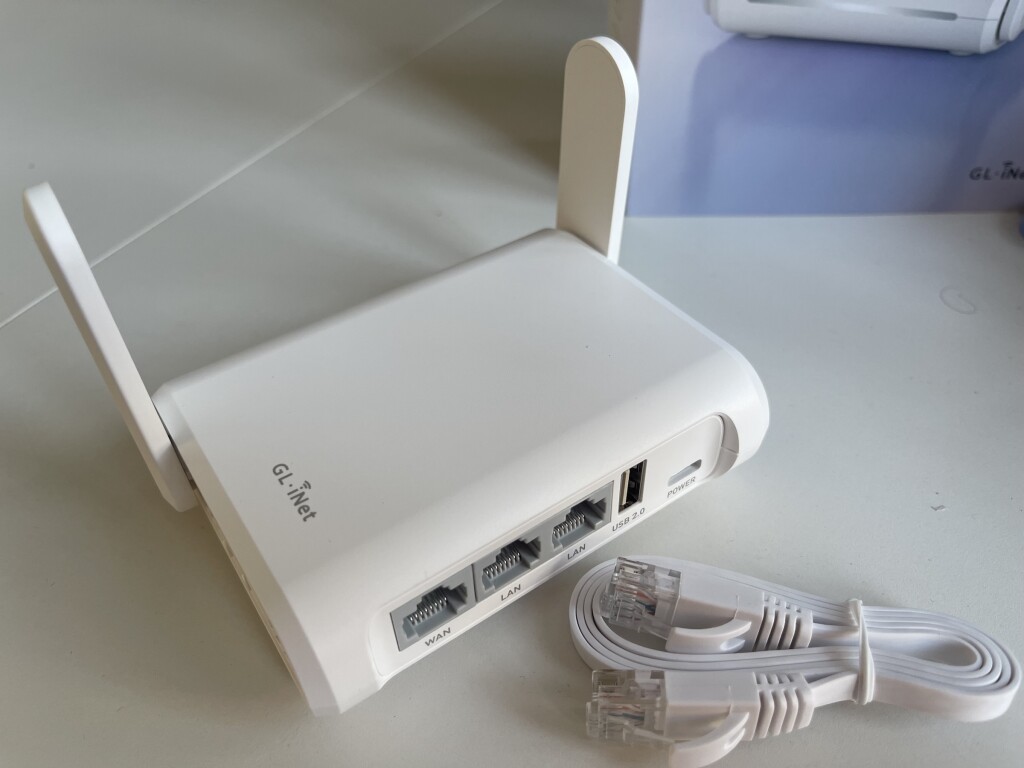
A more robust and user-friendly approach involves utilizing an inexpensive, dedicated wireless router. Such a router not only provides a stable Wi-Fi signal but also offers a controlled environment for Link traffic. This solution is often more compact and lightweight than managing multiple Ethernet cables.
Crucially, a dedicated router ensures that network configurations necessary for Link operation are correctly implemented. Specifically, it is essential to enable UDP multicasting on port 20808, a requirement for Link to discover and communicate with other devices on the network. Furthermore, any VPNs or data-filtering software that might interfere with network traffic must be disabled.
Compact travel routers, such as the GL-iNet Opal (AC1200), offer a cost-effective and highly functional solution. These devices typically feature USB-A ports for connecting SIM card dongles or tethering to a smartphone for internet access, providing flexibility for firmware updates or plugin authorizations. They also offer multiple LAN ports for wired connections to other laptops and a stable Wi-Fi network for nearby Link-enabled devices. The user-friendly browser-based configuration of these routers simplifies the setup process, making them an invaluable tool for any modern music producer or performer. Beyond Link synchronization, these routers also prove beneficial for other network-dependent applications like Open Sound Control (OSC) and various Ableton Live controller apps.
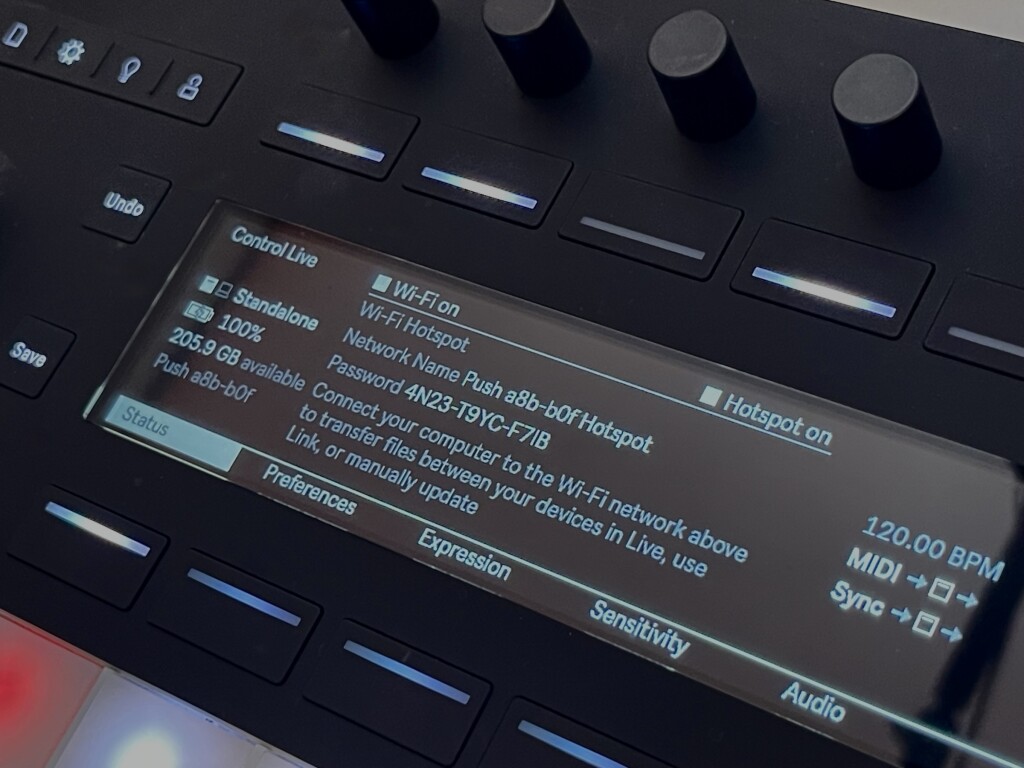
For users of the Ableton Push 3 in standalone mode, a convenient networking solution is built directly into the hardware. By enabling the "Hotspot" feature within the Push’s status menu, the device can function as a dedicated wireless access point, simplifying the creation of a local network for Link synchronization. This feature is contingent on having the latest Push firmware installed.
Configuring Link for Collaborative Flow
Once the network is established, configuring Link becomes a straightforward process. Activating Link on any software or hardware device initiates its participation in the synchronized session. Connected devices will automatically adopt the current tempo, and participants can collectively influence tempo adjustments. If multiple users attempt to alter the tempo simultaneously, Link intelligently averages these changes, mirroring the organic ebb and flow of tempo adjustments that naturally occur in ensemble playing.
This departure from the rigid, master-controlled timing of MIDI clock is a fundamental strength of Link. Instead of a single designated master dictating the tempo, Link fosters a democratic approach where all connected devices contribute to maintaining a unified pulse. Simply enabling Link on each participating device is sufficient for them to synchronize.
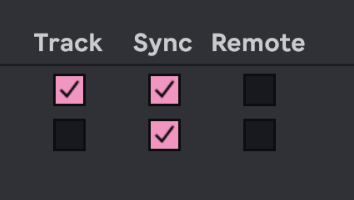
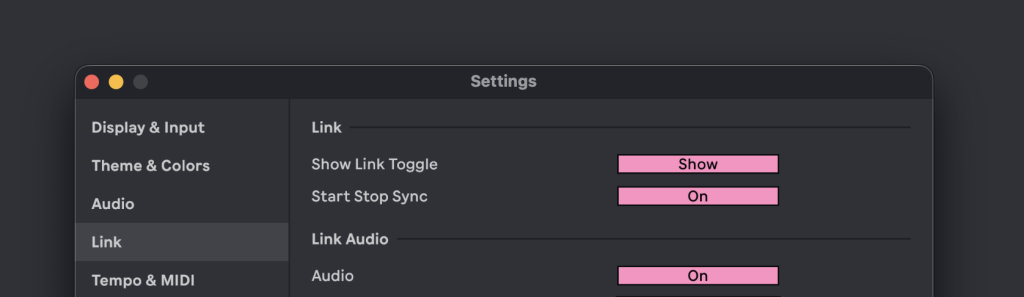
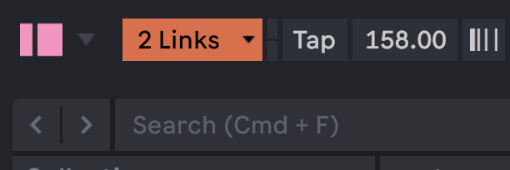
Within Ableton Live, the Link toggle can be revealed by enabling "Show Link Toggle" in the Preferences > Link settings. This provides a visual indicator and easy access to Link functionality.
A key configuration option within Link is "Start/Stop Sync." When enabled, a single command to start or stop playback will be propagated across all connected Link peers, ensuring that the ensemble begins and ends together. Conversely, disabling this feature allows for independent control over playback, which can be beneficial in jam sessions where spontaneous entry and exit from the groove are desired, preventing a single user’s mistake or technical issue from halting the entire performance.
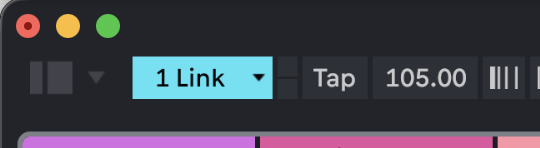
To ensure Link functionality, it must be enabled within the Live transport controls. Similar options are available in other Link-enabled software and hardware for activating their Link capabilities.
Integrating Eurorack and Analog Gear with Link
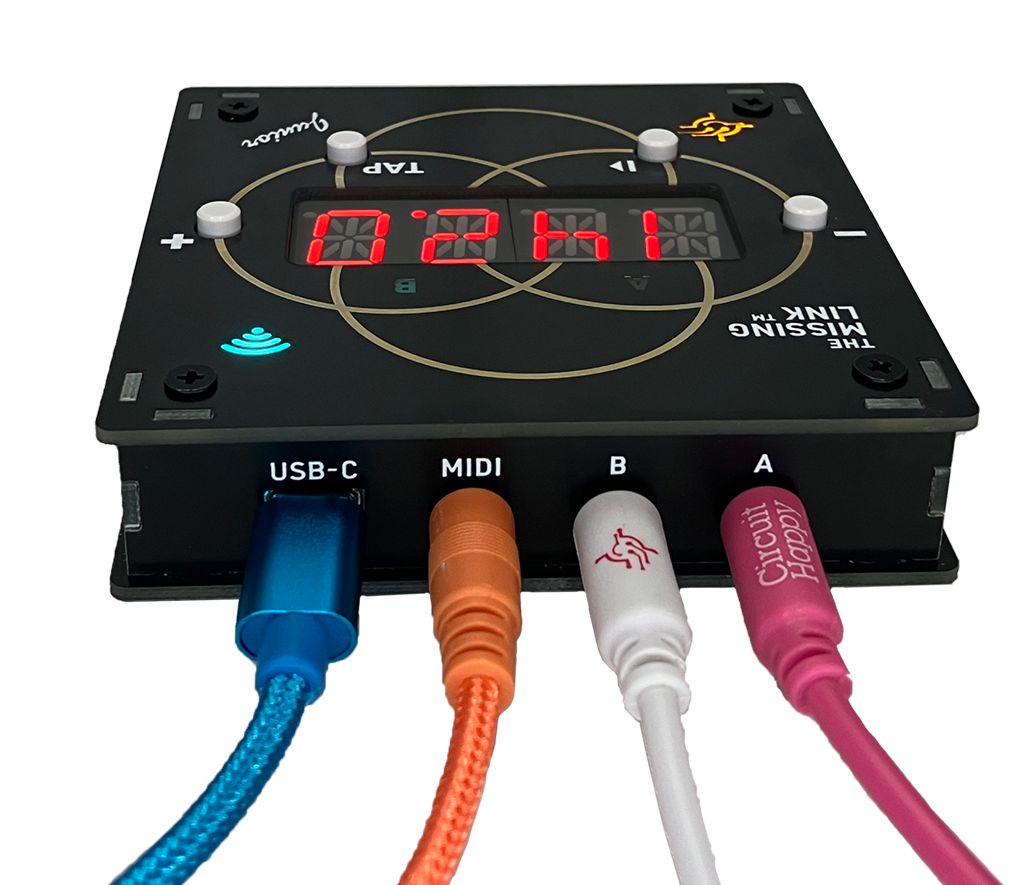
The integration of Eurorack modular systems and other analog gear into a Link-synchronized environment has been significantly streamlined by dedicated hardware solutions. Devices like "The Missing Link" (ML:2m for Eurorack) and "The Missing Link, Junior" from Circuit Happy offer a direct pathway to connect these systems to wireless Link networks. These modules act as bridges, translating Link signals into familiar MIDI clock or analog clock signals that Eurorack and analog sequencers can readily interpret.
The innovation extends beyond simple clock synchronization. Circuit Happy has introduced a "Rhythm Explorer" mode in its firmware, allowing for the deliberate disruption of steady clocks with mathematical and chaotic patterns. This feature enables the use of Euclidean rhythms or other complex patterns as clock sources, injecting novel rhythmic textures and unpredictable variations into the music in real-time. This capability transforms the clock signal from a mere timing reference into a creative element in itself.
Furthermore, the increasing number of hardware devices that natively support Ableton Link is expanding the possibilities. Instruments like Akai’s MPC line, monome’s norns, and the Torso T-1 are now equipped with direct Link integration, eliminating the need for external conversion hardware. For DIY enthusiasts, custom solutions can be developed using platforms like Raspberry Pi to implement Link connectivity.
Managing Audio Latency for Pristine Sound
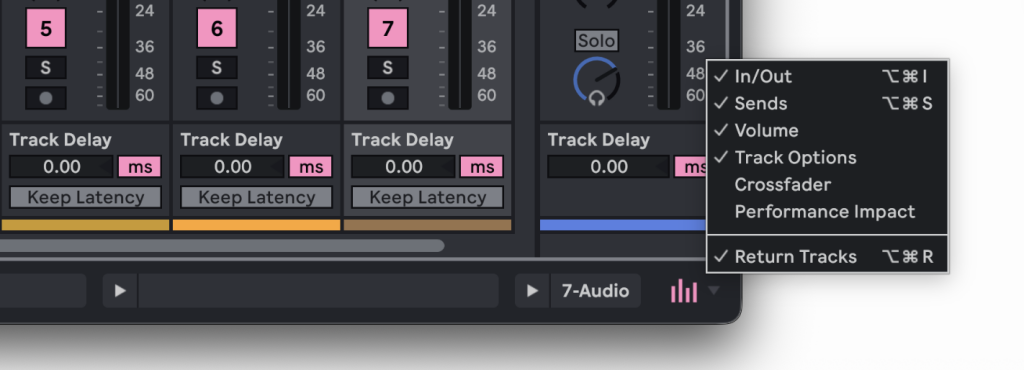
A critical aspect of achieving professional-sounding synchronized performances is effective latency management. In a Link-synchronized setup, latency is often determined by the "slowest common denominator." Any device or plugin that introduces significant processing delay will necessitate a corresponding adjustment across the entire system to maintain audible synchronization. While this may be less critical for triggering pre-programmed patterns, it becomes paramount for live performers who rely on precise timing for playing instruments and interacting with their setup.
The introduction of plugins that add processing latency, such as complex reverbs or pitch-shifting effects, can negatively impact the perceived timing of the performance. To address this, Elisabeth Homeland has developed a valuable Max for Live device called "Latency Manager." This tool aids in identifying and quantifying sources of latency within an Ableton Live set, empowering users to make informed decisions about their plugin choices and audio routing.
Nándi from Elisabeth Homeland offers several key strategies for latency management. These include:
- Minimizing unnecessary plugins: Only engage plugins that are essential for the creative process.
- Prioritizing low-latency plugins: Opt for plugins known for their efficient processing.
- Utilizing sends for effects: Applying effects via send tracks rather than inserting them directly on individual tracks can sometimes reduce overall latency.
- Adjusting buffer size: While this can impact CPU load, a lower buffer size generally results in lower input latency.
- Disabling unnecessary audio processing: Turn off any audio processing that is not actively being used.
When using external audio sources or mobile devices within a Link-synchronized session, careful attention must be paid to audio latency. While wired analog connections require manual latency compensation, Link Audio automates this process, even in wireless scenarios. This feature ensures that audio signals from Link-enabled devices are precisely aligned with the main session, eliminating the need for manual adjustments during monitoring or recording.
Link Audio: Seamless Sound Integration
Link Audio represents a significant advancement, extending the effortless synchronization provided by Ableton Link to the realm of audio signal routing and recording. Traditionally, integrating external audio sources into a DAW required careful calculation of latency to ensure accurate monitoring and recording. Link Audio addresses this by automatically compensating for latency, allowing for near-instantaneous and accurate audio capture. This capability is particularly valuable in wireless setups where traditional cable-based latency compensation is not feasible.
While Ableton acknowledges that wired connections may still offer the highest degree of reliability, the implementation of Link Audio, particularly when combined with a dedicated router and proper network configuration, offers a remarkably stable and usable solution for capturing audio from Link-enabled devices. This is especially beneficial for quick collaborations, such as incorporating an iPad’s audio output into an Ableton Live session.
Link Audio is officially supported in Ableton Live 12.4 and later, as well as Note 2.0, Move 2.0, and Push 3 standalone (v2.4 and later). Its inclusion in the Link SDK suggests that support will continue to expand across a wider range of software and hardware.
For users with an iPhone, Ableton Note provides an accessible platform for testing Link Audio. The fundamental requirement is that all devices must be connected to the same network, and VPNs must be disabled.
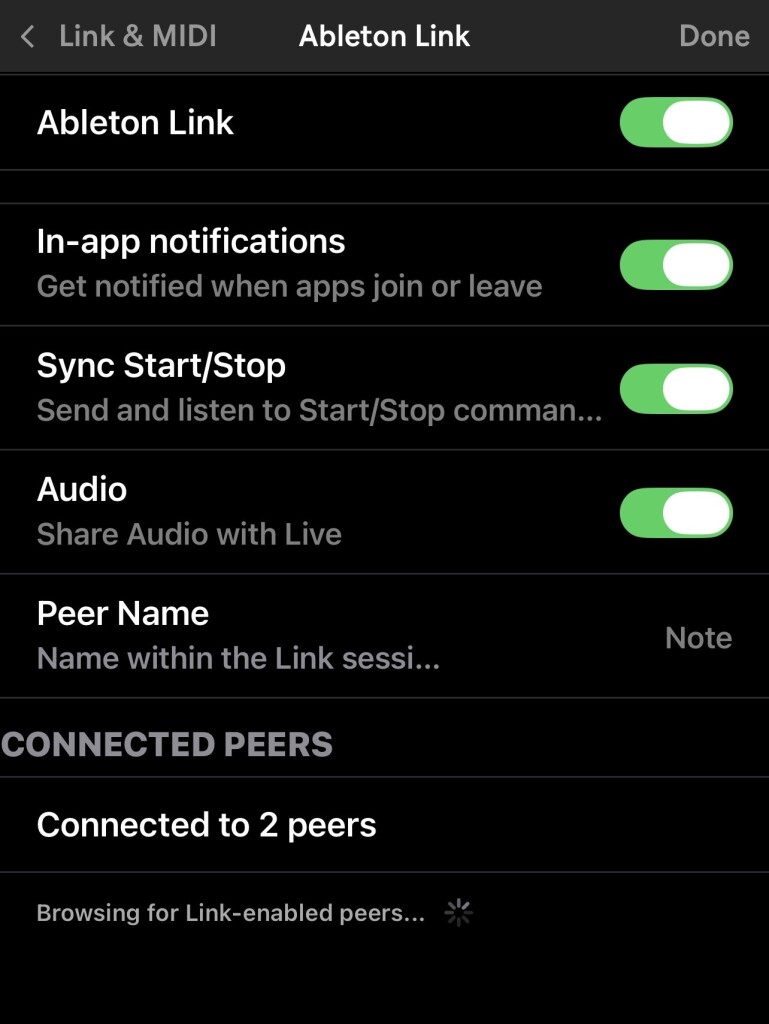
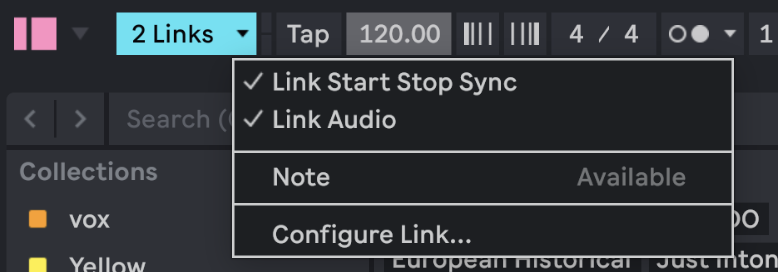
In Ableton Note, Link Audio is enabled through the "Link & MIDI" settings within the main menu. Both "Ableton Link" and "Audio" must be toggled on. Similarly, Ableton Live requires Link to be enabled on its toolbar.
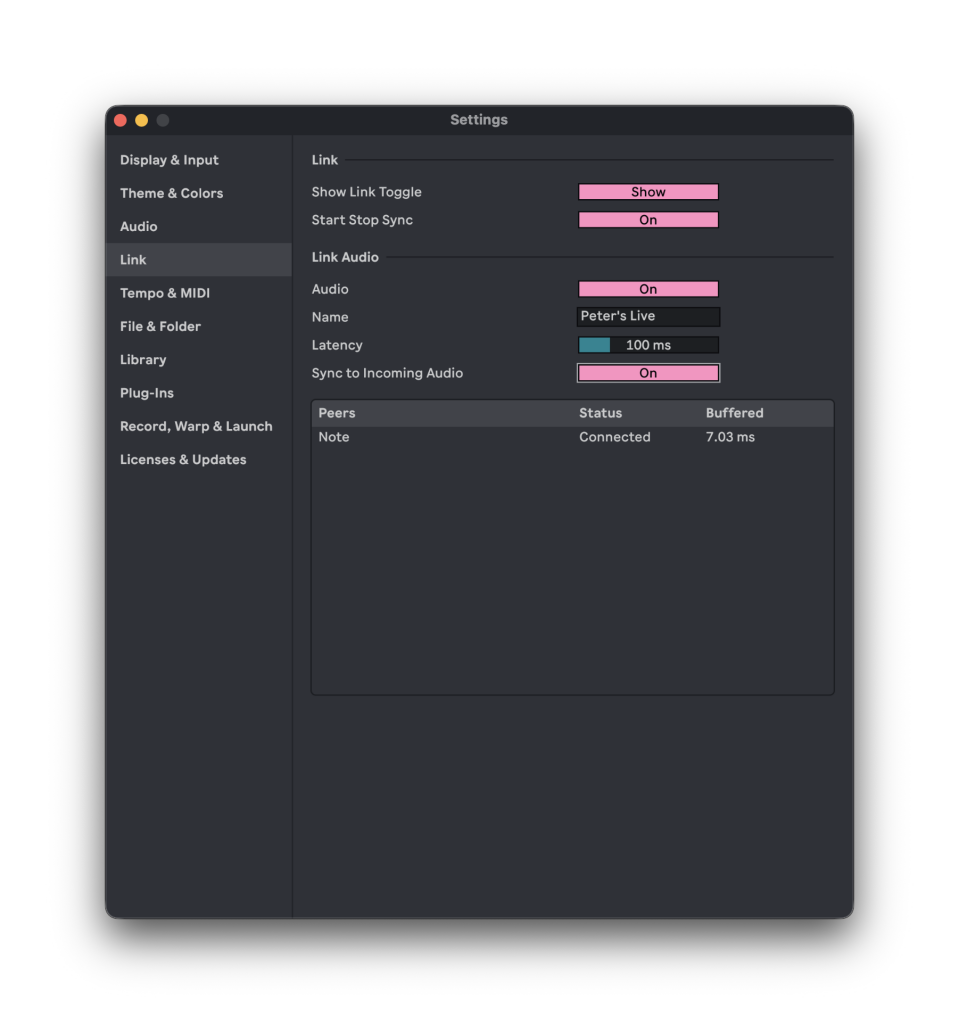
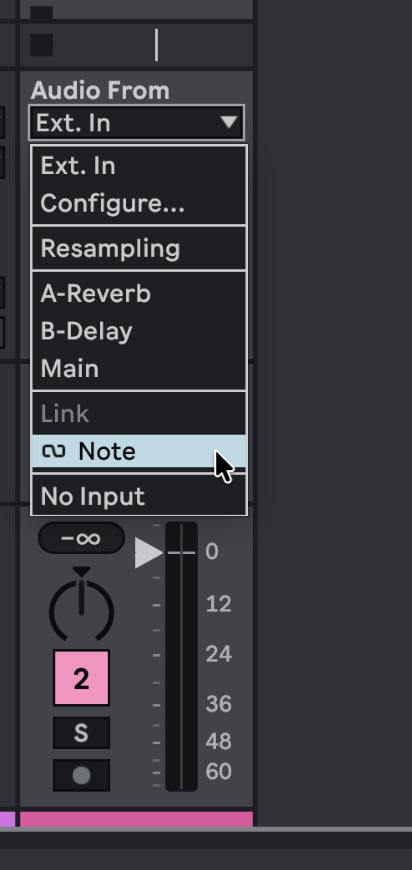
Once Link is active in both Live and Note, Note should appear as a "Peer" within Live’s Link Audio settings. This allows Note to be selected as an audio input source within Live. By playing rhythmic patterns in Note and monitoring them through Live, users can directly experience the low-latency audio synchronization.
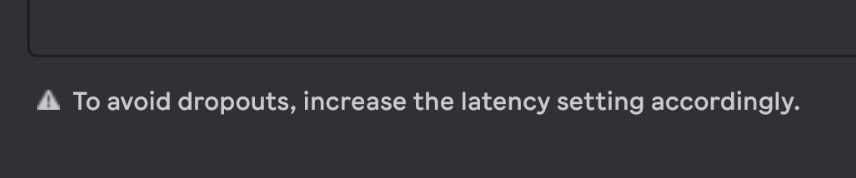
A crucial aspect of Link Audio configuration involves managing potential dropouts, particularly on wireless networks. When significant latency is present, the Link indicator in Live’s toolbar may change color, and a warning message may appear in the Link Audio settings, suggesting an increase in latency. By adjusting the "Latency" setting (e.g., from 100 ms to 150 ms) in increments, users can find a stable point where audio remains synchronized without dropouts. This one-time adjustment ensures reliable tracking for all connected peers.
The "Sync to Incoming Audio" setting is another vital parameter. This should be enabled on only one device – typically the software used for monitoring and recording (e.g., Ableton Live). Enabling this setting synchronizes the Live session to the incoming audio from connected peers, enabling it to be used as an input for audio tracks. Simultaneously, it shares the audio-generating tracks from Live with other Link Audio-enabled peers.
This advancement represents a significant step forward in the evolution of real-time audio collaboration, heralding a future where seamless integration of diverse audio sources is not only possible but also effortlessly achievable.
The Path Forward: Tuning, Timing, and Inspiration
With a thorough understanding of Ableton Link and Link Audio, musicians are now equipped with the tools to master synchronized ensemble performance. This comprehensive guide has explored the technical underpinnings and practical applications of these technologies, empowering creators to build robust and reliable synchronized setups. The journey of sonic collaboration is ongoing, and for the next installment, the focus will shift to strategies for maintaining creative inspiration during live performances. As the landscape of music technology continues to evolve, the ability to seamlessly integrate diverse instruments and software into a cohesive whole will remain a cornerstone of innovative and engaging musical expression. Suggestions, requests, and questions are encouraged, as the collaborative spirit extends beyond the performance space into the ongoing dialogue of music creation and technological advancement.