 Mia Khoirunisa
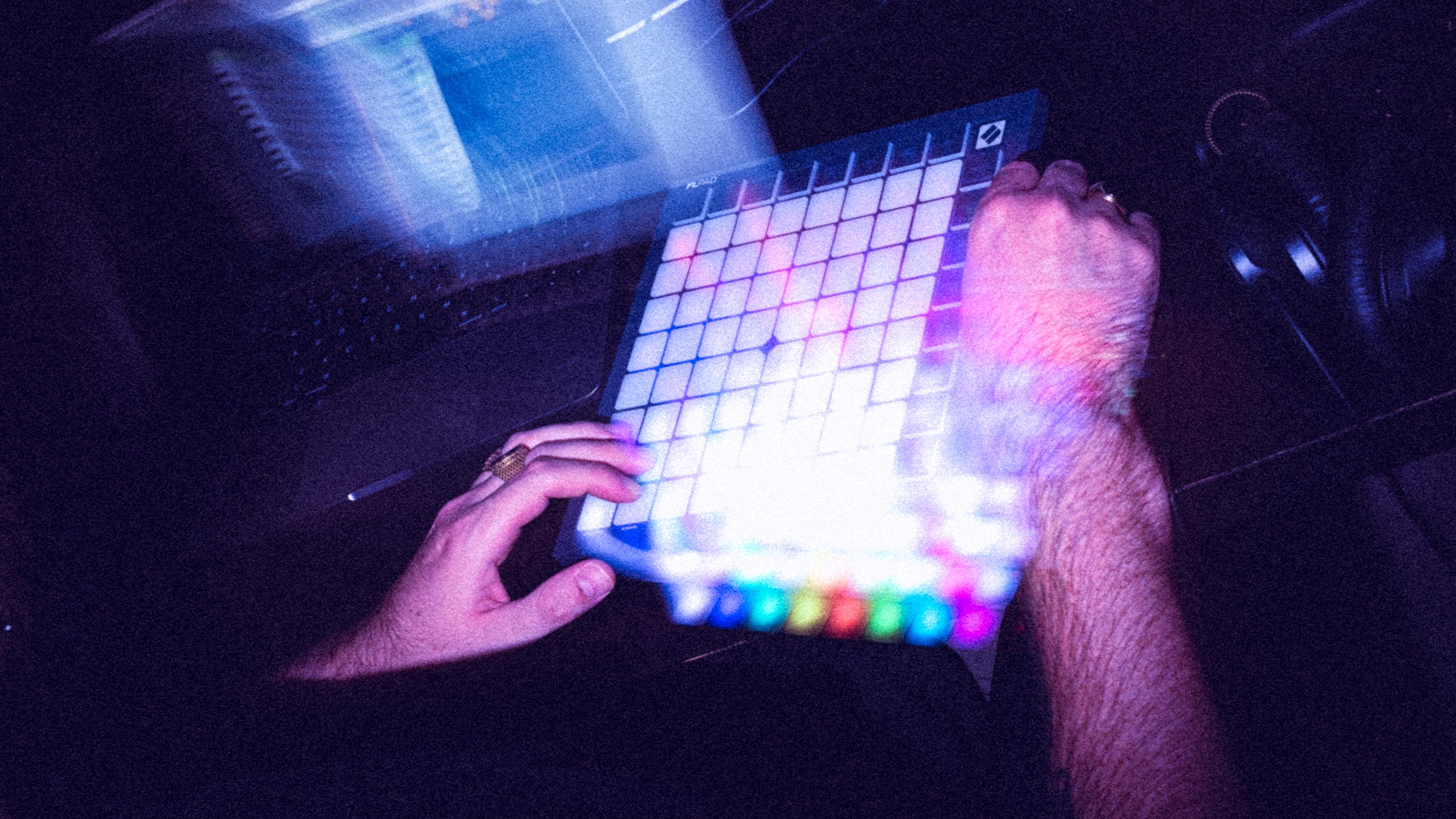
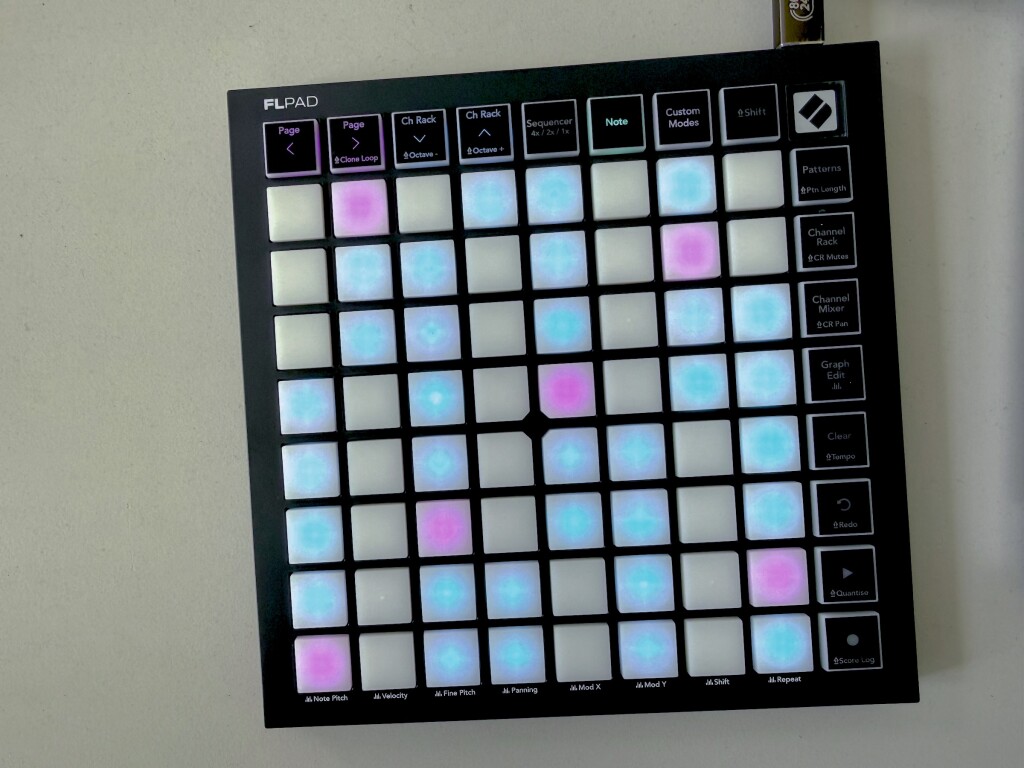
The intersection of physical MIDI hardware and digital audio workstations has historically favored platforms like Ableton Live, which long ago established the grid-controller standard through instruments like the Novation Launchpad. However, the landscape for users of Image-Line’s FL Studio—historically known as Fruity Loops—has evolved significantly. Novation has officially expanded its specialized hardware ecosystem beyond keyboards with the introduction of the FLpad and the FLpad mini. These grid-based controllers are engineered specifically for FL Studio, offering a dedicated tactile interface for an environment traditionally dominated by mouse-driven point-and-click workflows and rapid keyboard shortcuts.
Priced at $219.99 for the standard velocity-sensitive model and $139.99 for the more compact FLpad mini, these new controllers aim to bridge the gap between traditional finger-drumming, step-sequencing, and the rapid speedrunning workflows that have recently surged in popularity among FL Studio producers.
Evolution of the Dedicated DAW Controller
Historically, Novation’s Launchpad series was inextricably linked to Ableton Live, serving as the blueprint for clip launching and grid-based session control. Recognizing an underserved market of digital audio workstation users outside the Ableton ecosystem, Novation previously released the FLkey keyboard series. This product line successfully translated the functionality of their Launchkey hardware into a dedicated layout for FL Studio users, featuring integrated transport controls, step-sequencing capabilities, and channel rack management.
The release of the FLpad series represents the natural continuation of this design philosophy, bringing the physical grid format into the FL Studio workflow. While the underlying hardware architecture shares DNA with the standard Launchpad series—utilizing identical physical dimensions, RGB illumination, and interactive visual feedback—the primary distinction lies in the firmware programming and physical silkscreen labeling. These alterations tailor the hardware specifically to the operational architecture of FL Studio, allowing users to interact directly with the Channel Rack, Playlist, and Mixer without relying entirely on a computer mouse.
Hardware Specifications and Model Options
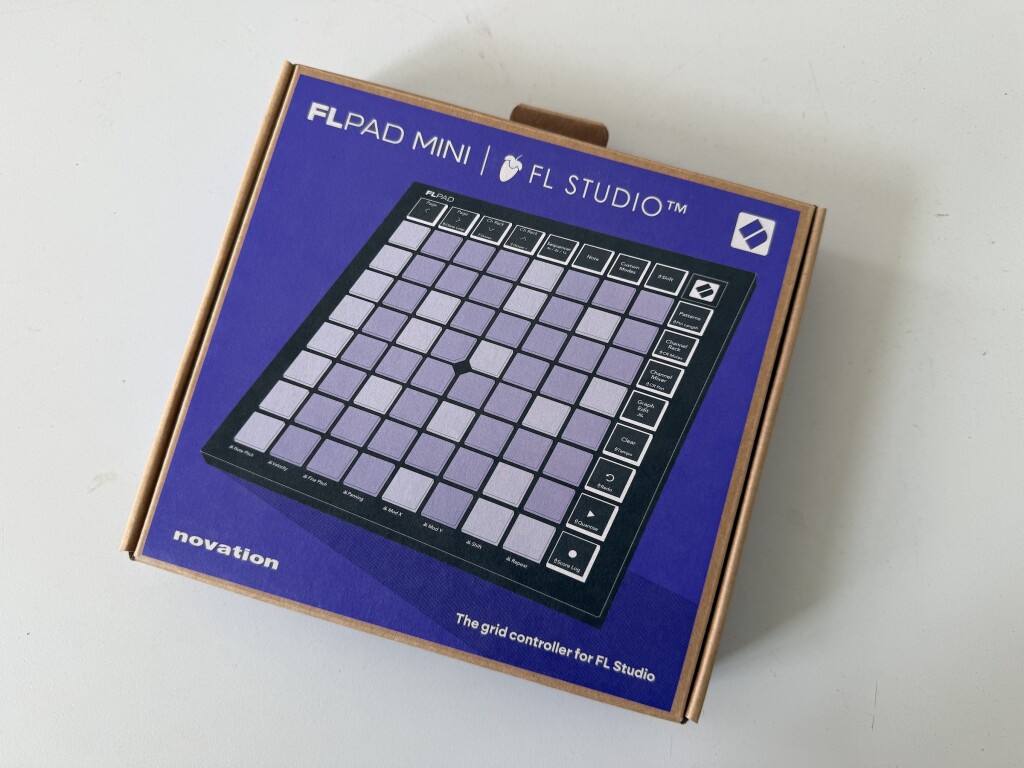
The FLpad lineup is split into two distinct models to accommodate different studio configurations and mobility needs. The standard FLpad features velocity-sensitive pads, catering to producers who require dynamic expressiveness for finger-drumming and acoustic drum programming. Meanwhile, the FLpad mini prioritizes ultra-portability, offering a smaller form factor that easily fits alongside a laptop in a standard messenger bag or backpack.
Both models feature full RGB color-coding to provide immediate visual feedback regarding track status, clip states, and sequence steps. Despite the compact size of the mini variant, neither model compromises on core functionality, supporting comprehensive input and output communication with the host software.
Software Bundles and Ecosystem Value
A significant component of the FLpad product launch involves the inclusion of a robust software bundle. Purchasers of either the standard FLpad or the FLpad mini receive a six-month subscription to FL Studio Producer Edition. While established users of the software may already possess permanent licenses, this inclusion lowers the barrier to entry for novice producers, providing them with a fully functional version of the DAW rather than a restricted trial or "lite" edition.
In addition to the DAW software, the hardware package includes permanent licenses for a selection of virtual instruments and effects plugins. These include 27 sound libraries from UVI Prime 8+, Klevgrand’s Slammer and LUXE processors, and hardware emulation instruments from GForce Software, covering two Oberheim synthesizer emulations and one KORG emulation. This curated bundle aims to provide new producers with a comprehensive out-of-the-box sonic palette immediately upon unboxing the hardware.
Integration with Novation Components and Custom Modes
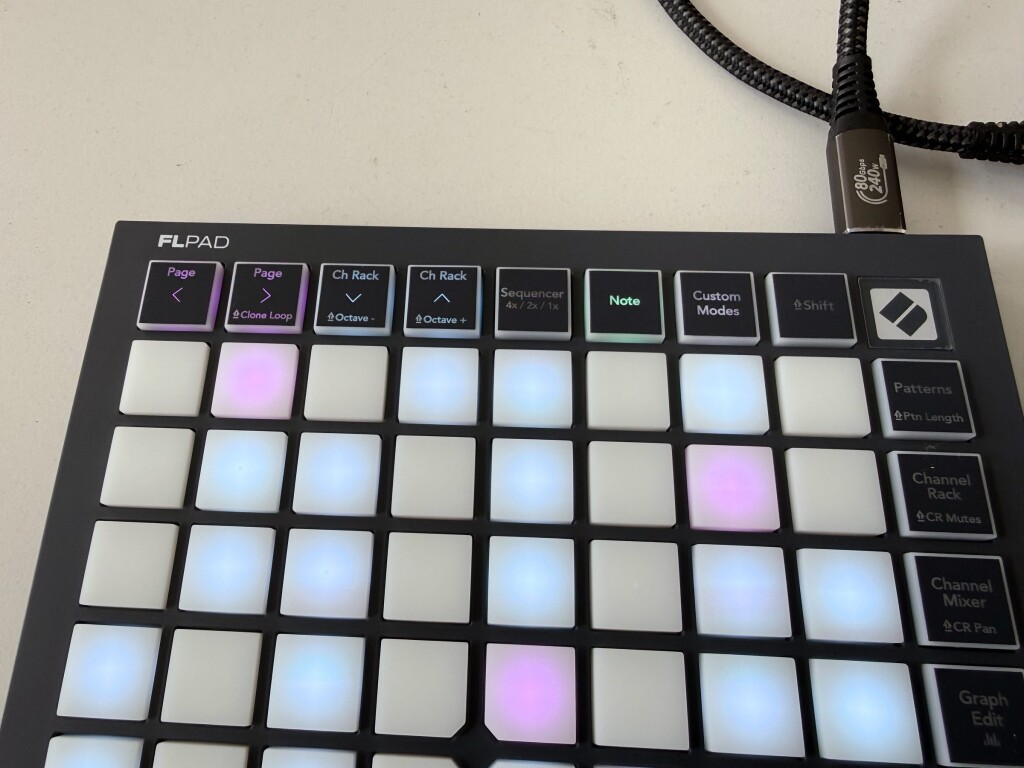
Beyond pre-configured DAW mapping, the FLpad series integrates with Novation Components, the manufacturer’s browser- and desktop-based configuration utility. Components allows users to access custom modes, configuring up to four distinct user layouts on the device. These custom modes can be toggled directly from the hardware interface, allowing producers to map the pads and side buttons to custom MIDI CC messages, PC keystrokes, or specific macro commands.
Novation has pre-loaded several template configurations within Components to demonstrate the utility of these custom modes. These include a PC keystroke mapping layout, a chromatic keyboard layout for melodic input, and a 32-pad mute matrix. This level of user programmability addresses a feature set frequently omitted by competing hardware manufacturers, offering advanced users the flexibility to adapt the physical controller to specialized studio environments and custom workflows.
Workflow Implications and the Speedrunning Phenomenon
The introduction of dedicated grid control arrives at a notable time for the FL Studio community. In recent years, the online production community has witnessed a massive surge in "speedrunning"—a competitive and exhibitionist format where producers construct complex beats, melodies, and full arrangements in record-breaking time using extensive keyboard shortcuts and mouse dexterity.
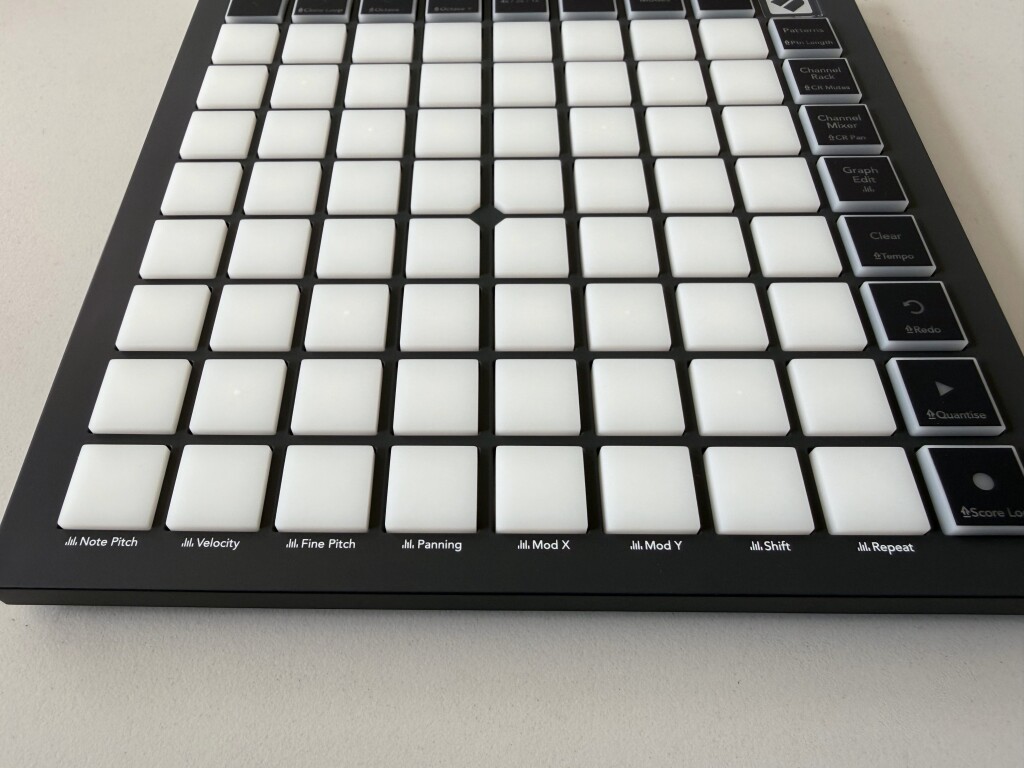
While experienced producers proficient in rapid keyboard navigation may question the necessity of physical pads, the FLpad is designed to complement, rather than replace, existing shortcuts. By offloading tasks such as live drum performance, bassline sketching, chord progression creation, step sequencing, and interaction with FL Studio’s Graph Editor to a tactile surface, the hardware aims to minimize repetitive mouse navigation and alleviate physical strain during long production sessions. Furthermore, the complete mapping of the Graph Editor directly to the pad grid allows for precise manipulation of velocity, pitch, and panning without menu-diving.
Market Positioning and Pricing Analysis
The FLpad series enters a competitive market for grid controllers, but its deep, native integration with one of the world’s most popular digital audio workstations gives it a distinct advantage. By tailoring the firmware and labeling directly to FL Studio’s proprietary operational language, Novation bypasses the generic MIDI mapping process that often deters novice users from integrating hardware into their setups.
Priced competitively at $219.99 for the flagship velocity-sensitive model and $139.99 for the FLpad mini, the hardware positions itself accessibly within the current market. When factoring in the inclusion of the FL Studio Producer Edition trial and the extensive third-party plugin bundle, the overall package offers substantial economic value for both beginners building a production rig and seasoned professionals seeking to streamline their mobile setups.
Broader Impact on the Production Hardware Market
The expansion of dedicated hardware ecosystems for specific software platforms signals a maturation in how manufacturers approach DAW integration. Rather than forcing universal controllers to fit disparate software environments through complex templates, companies like Novation are increasingly partnering with software developers to create native hardware extensions.
For FL Studio users, the FLpad represents a long-awaited bridge between the tactile performance capabilities of pad-based controllers and the unique step-sequencing paradigm of Fruity Loops. As the hardware hits the market and makes its way into studios worldwide, its long-term success will likely be measured by how seamlessly it integrates into the muscle memory of a user base long accustomed to keyboard shortcuts and screen-bound creation.